Infinispan Insights: Supporting Redis JSON and Scripting features with Infinispan

In Infinispan 15, we added a variety of commands to help replace your Redis server without changing your code. The 15.2 release also included Lua Scripting and Redis JSON APIs. Key takeaways:
-
Understanding Redis JSON commands
-
The benefits of Lua scripting
-
How and why transition applications from Redis to Infinispan, or use Infinispan as a backend while working with Redis clients.
This article follows up on supporting multiple Redis databases with Infinispan. For more details, check out the full article.
Redis drop-in replacement with Infinispan
A drop-in replacement means you can substitute one technology for another without changing application code. This is valuable because:
-
Minimizes migration effort: You avoid rewriting logic or changing client libraries significantly.
-
Reduces downtime and risk: You can swap the backend and test incrementally.
-
Retains existing usage patterns: Developers can continue using the familiar APIs and data models.
Replacing open-source Redis with Infinispan offers several key benefits, especially for Java-based or enterprise-grade systems. Infinispan is fully open source under Apache 2.0, avoiding the licensing limitations of Redis modules. It provides advanced clustering, built-in high availability (Active-Active cross site replication), and better support for distributed and geo-replicated setups. It supports multiple databases even in clustered mode and it offers flexible persistence options like write-through and write-behind. Additionally, it includes robust security features such as fine-grained access control and encryption, and supports multiple deployment modes including embedded, server, and Kubernetes-native.
Let’s test how this works, now also with JSON commands and Lua scripts.
Running Infinispan as usual
Get started tutorial is the best place to start. Just run the following command with docker or podman.
podman/docker run -it -p 11222:11222 -e USER="admin" -e PASS="password" quay.io/infinispan/server:latestRunning Infinispan with the Redis default port
For those want to keep using the 6379 port, run Infinispan providing the following configuration file:
podman/docker run -it -p 6379:6379 -p 11222:11222 -e USER="admin" -e PASS="password" quay.io/infinispan/server:latest -c infinispan-resp.xml-
Map -p 6379:6379 -p 11222:11222 (you keep the access to the console)
-
Provide -c infinispan-resp.xml configuration file
-
-e USER="admin" -e PASS="password will be used for 11222 port security
Using a Redis client
Once the server is running, connect to Infinispan using Redis-CLI. Use port 11222 instead of the default 6379 if you are running Infinispan as usual. Since Infinispan is secured by default, make sure to provide the admin credentials.
> redis-cli -3 -p 11222 --raw
127.0.0.1:11222> AUTH admin password
OK-
Connect using Protocol 3
-
Use -p 11222 (Infinispan single port)
-
Add --raw option to allow formatting
-
Authenticate with admin/password
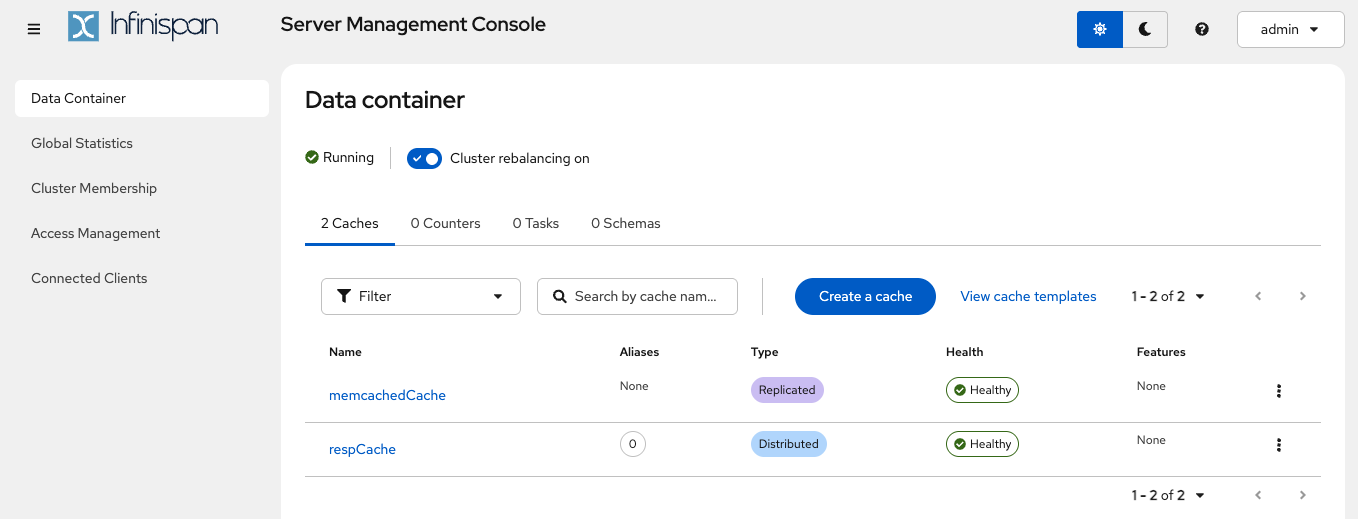
You can access the Infinispan Server Console as usual in http://localhost:11222, with admin/password credentials. Check the (cache aliases tutorial to learn more about respCache and how it connects to Redis Databases and cache aliases.
Redis JSON Feature
RedisJSON is a powerful extension for managing JSON data directly in Redis. If you’re working with JSON-like data and need fast, efficient access and manipulation, RedisJSON is a great tool to use. This is part of the RedisStack or Redis Enterprise, and works with the JSON Query engine (which is not supported by Infinispan for now).
127.0.0.1:11222> JSON.SET doc $ '{"project":"infinispan", "details": {"latest": "16.0", "year": 2025}}'
OK
127.0.0.1:11222> JSON.GET doc INDENT "\t" NEWLINE "\n" SPACE " " $
[
	{
		"project": "infinispan",
		"details": {
			"latest": "16.0",
			"year": 2025
		}
	}
]
127.0.0.1:11222> JSON.OBJKEYS doc $
project
details
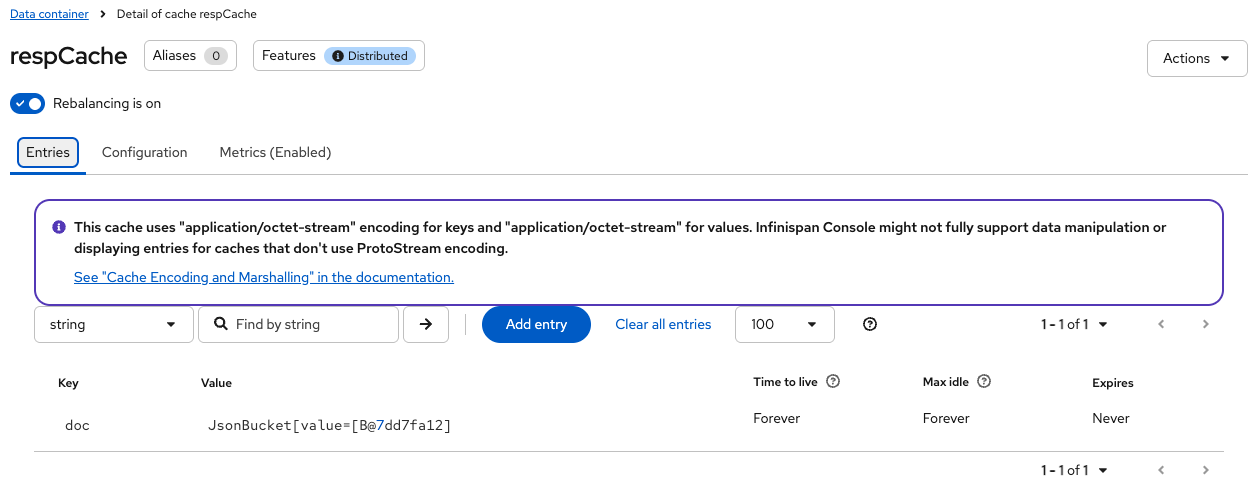
In the console, the REST API currently shows the key, and the value is only displayed as the JSON.Bucket. Additional support for displaying more data is planned for future Infinispan releases, so we just need to wait a bit for the ability to show more content through the REST API.
All JSON commands are implemented for the RESP 3 responses.
Scripting Feature
Lua scripting in Redis lets you write small programs in the Lua language that run directly on the Redis server. This helps you perform multiple actions in one go, saving time and making things faster. You can use it to do complex tasks without sending many commands back and forth between the client and server.
Since Infinispan 16.0, you can now use Lua Scripting to perform these operations.
127.0.0.1:11222> EVAL "return 'Hello, scripting!'" 0
Hello, scripting!
127.0.0.1:11222> EVAL "return ARGV[1]" 0 Hello
Hello
127.0.0.1:11222> EVAL "return ARGV[1]" 0 Parameterization!
Parameterization!
127.0.0.1:11222> EVAL "redis.call('SET', KEYS[1], ARGV[1]) redis.call('SET', KEYS[2], ARGV[2]) redis.call('SET', KEYS[3], ARGV[3]) return 'SET commands executed'" 3 key1 key2 key3 value1 value2 value3
SET commands executed
127.0.0.1:11222> KEYS "*"
key2
key3
key1
doc
Technically speaking, when using Infinispan, scripts are stored in an internal cache ___script_cache. This cache is handled by Infinispan and manipulating it requires admin permissions.
Conclusions
In this tutorial, you’ve learned how to use Infinispan for JSON commands and Scripting from version 16.0. Redis Hot Replacement is gaining attention, especially with the concerns about Redis' licensing changes in 2024. Infinispan, an open-source solution under the Apache 2.0 license, is part of the Commonhaus foundation, allowing free use in your products. If you need official support, you can get it through supported versions of Infinispan.
Get it, Use it, Ask us!
We’re hard at work on new features, improvements and fixes, so watch this space for more announcements!Please, download and test the latest release.
The source code is hosted on GitHub. If you need to report a bug or request a new feature, look for a similar one on our GitHub issues tracker. If you don’t find any, create a new issue.
If you have questions, are experiencing a bug or want advice on using Infinispan, you can use GitHub discussions. We will do our best to answer you as soon as we can.
The Infinispan community uses Zulip for real-time communications. Join us using either a web-browser or a dedicated application on the Infinispan chat.
Katia Aresti
Katia Aresti is part of the core Infinispan team, and she is responsible for the integration with other frameworks such as Spring-Boot, Vert.x and Quarkus, developing new features such as Clustered Counters, REST API endpoints and the Server Console.